
NOTE4 16-Level Grayscale Demo
Explore full refresh, partial refresh and sixteen grayscale levels on monochrome NOTE4 as a display foundation for your own e-paper projects.
USB firmware
View & install Views0

Device firmware · NOTE4C · Four-color
Connect the four-colour NOTE4C to Tesserae for photos, weather, to-dos and widget dashboards. Supports Local REST, Cloud and Relay, fetching images over Wi-Fi on a schedule, skipping unchanged images and sleeping between checks. Reviewed version: 1.2.1.
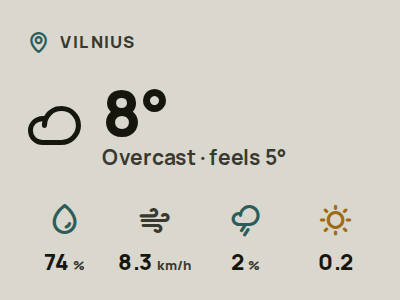
Connect the four-colour NOTE4C to Tesserae for photos, weather, to-dos and widget dashboards. Supports Local REST, Cloud and Relay, fetching images over Wi-Fi on a schedule, skipping unchanged images and sleeping between checks. Reviewed version: 1.2.1.
Install & use
Connect the device and give AI the detection results together with this firmware information.
USB chip information cannot distinguish monochrome from four-color screens. Confirm the model first.
Read the chip and capacity first, so AI needs fewer follow-up questions.
Detection may restart the device into download mode. It does not flash firmware; you still need to confirm the display model.
Not detected yet. You can also copy the task first and ask AI to help connect.
Codex on your computer can install dependencies and run programs locally.
Check compatibility → Prepare firmware and a full backup → Assist with local installation → Verify first run
After copying, start a new chat in Codex on your computer and paste the task.
Only project information and the device details selected here are included. Network addresses, accounts and keys are configured locally during installation.
The device shows the expected NOTE4C Devkit × Tesserae image and repeated updates work.
Ask AI to report the installation location, verification results and how to start again. Continue in the same conversation if something goes wrong.
Four-colour NOTE4C Devkit only · 2.4 GHz Wi-Fi · Tesserae service · Desktop Chrome / Edge · USB-C data cable
For the ESP32-S3 NOTE4C Devkit with 16 MB flash, 8 MB PSRAM and a 400×300 four-colour panel only, not monochrome NOTE4. Follow FLASHING.md to save and verify your own full-flash backup. Keep it private because it may contain network credentials.
Open https://note4ctesserae.pages.dev in desktop Chrome or Edge, check the version and connect with a USB-C data cable. Fresh install clears settings; Update preserves settings on compatible installations. The website does not back up automatically. Keep USB connected while writing.
After a fresh install, join the displayed Note4c-Setup-XXXX network and follow the guide to http://192.168.4.1. Enter your Wi-Fi and Local REST, Cloud or Relay pairing details. Self-hosted servers need Note4c support; select ZecTrix NOTE4C Devkit and Nominal BWRY, then assign an image or lineup.
Source, release and installer entry reviewed · Device flashing not tested. Generating the task does not send it or run installation.
No. It replaces the device firmware and needs a Tesserae service. Local REST is its connection to Tesserae, not the official NOTE4 local-push SDK or a Zectrix Cloud Open API plugin.
Version 1.2.1 supports Local REST, Tesserae Cloud and Relay. Use a self-hosted server with Note4c support or configure Cloud/Relay according to the author’s guide. You supply the corresponding services and accounts.
The current documentation says MQTT, Bluetooth and Wi-Fi firmware updates are not implemented. Install and update by USB web installer or manual flashing; the device does not stay continuously connected during deep sleep.
The image is the author’s weather-widget preview, not our device photograph. Source, the 1.2.1 release, installer entry and deployment guide were reviewed. No device was flashed and battery life was not tested. The project uses AGPL-3.0-or-later; third-party licenses remain applicable.
Explore full refresh, partial refresh and sixteen grayscale levels on monochrome NOTE4 as a display foundation for your own e-paper projects.
USB firmware
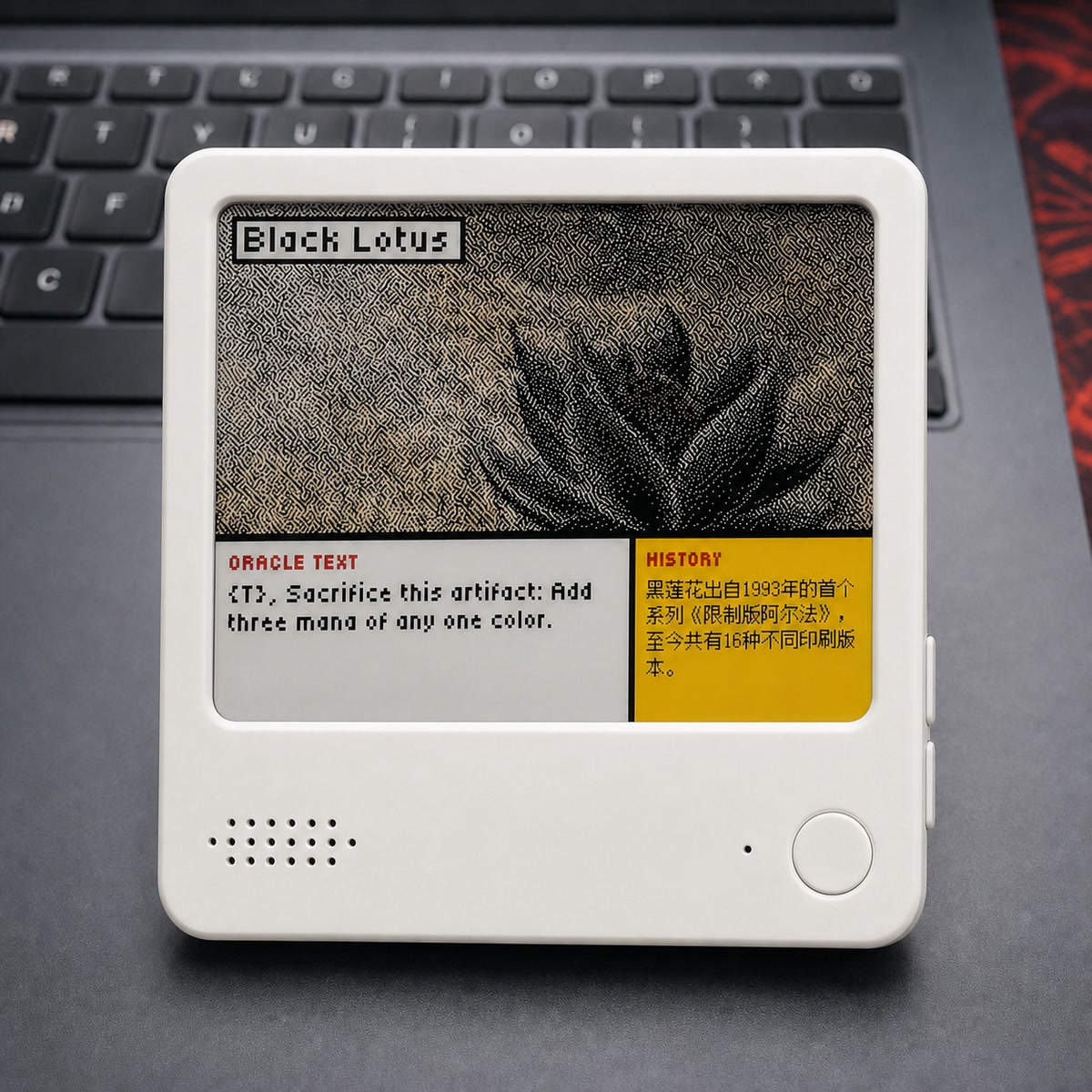
Turn NOTE4C into a four-color photo gallery with uploads through a phone hotspot or home LAN.
USB firmware
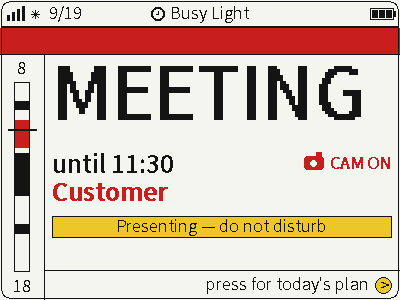
Switch between photos, weather and busy status on a four-color screen for glanceable desktop information.
USB firmware