Record temperature, power and load in the Windows background to compare long-term cooling trends. The Zectrix edition turns 30-day daily trends and smoothed post-cleaning trends into cards, delivered through Zectrix Cloud Open API and displayed on NOTE4’s sync cycle.
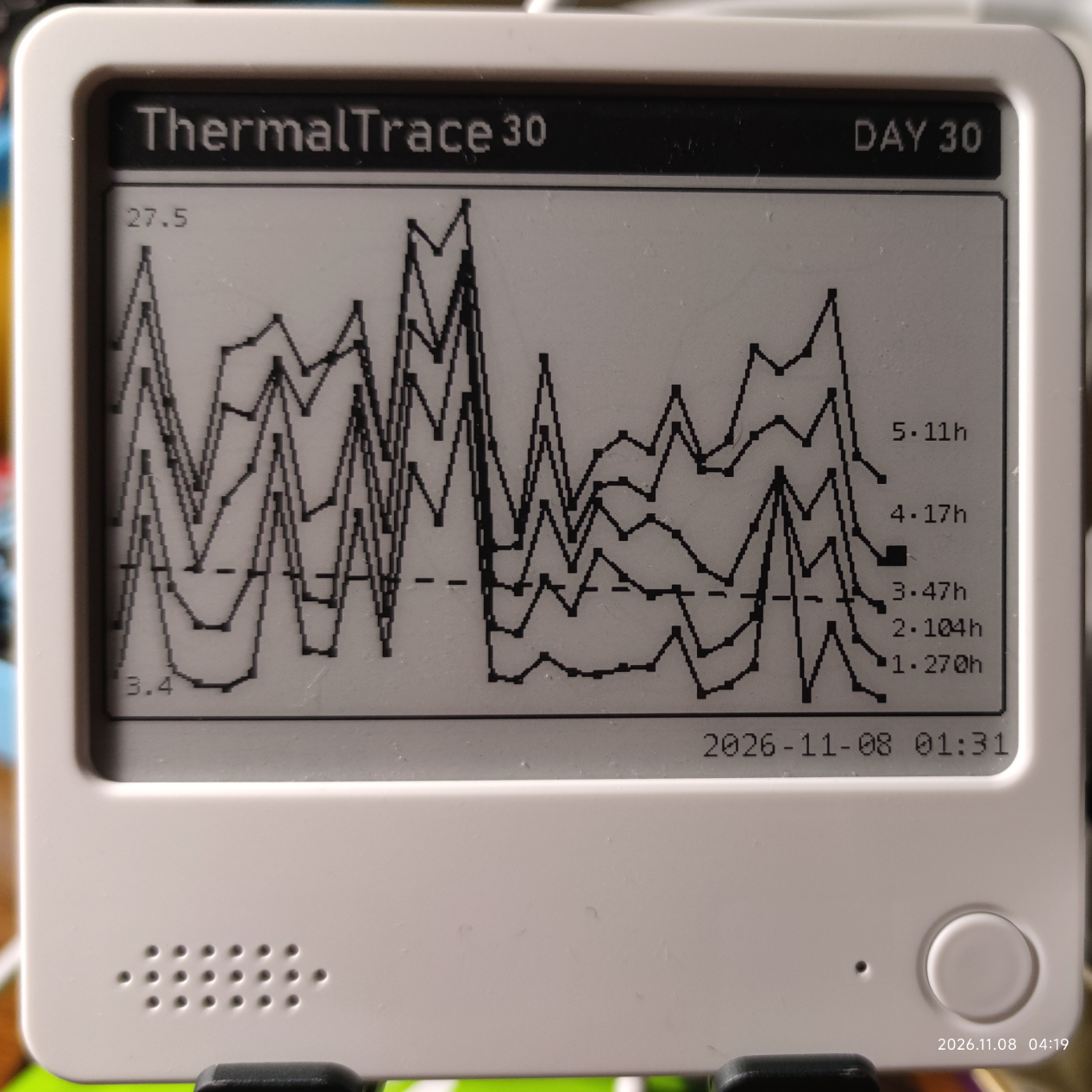
Author-submitted device photo with original timestamp; values reflect the photographed display. View source ↗
What it can do
Record temperature, power and load in the Windows background to compare long-term cooling trends. The Zectrix edition turns 30-day daily trends and smoothed post-cleaning trends into cards, delivered through Zectrix Cloud Open API and displayed on NOTE4’s sync cycle.
Compare temperature rise and usage duration by load level to track cooling trends
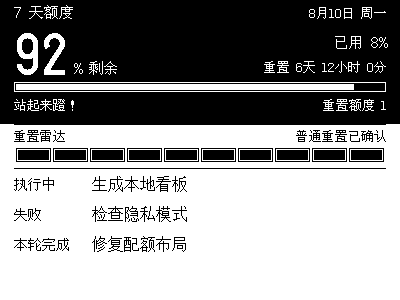
Up to two 400×300 monochrome cards: 30-day daily trends and trends since cleaning
Daily scheduled cloud delivery; the device displays updates after polling, not as a live temperature monitor
Aggregated data and HTML reports stay local; the API key is stored using Windows DPAPI
Install & use
Let AI help you install
Enter a key and give the task to your local AI. AI handles installation, previews and device discovery.
1
Connect NOTE and hand over to AI
Just an API Key; AI can find the MAC
AI uses the key to list your devices; you only need to confirm which one to use.
Monochrome NOTE4 · Windows 10/11 x64 · Zectrix edition · Zectrix Cloud API Key and device MAC · Administrator privileges at runtime
See the task for AI
The task includes project information, standard API documentation, the connection filename and device selection. The API Key stays in a local file and is never copied into the task.
2
After installation, check this
Confirm that the device displays the expected ThermalTrace screen and continues to update correctly.
AI generates a preview first, then confirms the target device and first update with you. It reports installation location, verification results and how to start again. Continue in the same conversation if anything goes wrong.
Know the process? View manual steps and source
Monochrome NOTE4 · Windows 10/11 x64 · Zectrix edition · Zectrix Cloud API Key and device MAC · Administrator privileges at runtime
1
Download the Zectrix edition
Choose ThermalTrace-0.3.1-Zectrix-Setup.exe from GitHub Releases. The standard ThermalTrace-0.3.1-Setup.exe has no e-paper push, and Source code archives are not installers. Installation needs no elevation; reading CPU temperature requires administrator privileges at runtime.
2
Start sampling and check the data
The app starts in the system tray; double-click its icon to open the main window. Check sensors and sampling first, then set a cleaning baseline date if needed. Aggregated slices are saved every 30 minutes by default. Intel is the main tested platform; AMD compatibility needs checking.
3
Configure cloud delivery
Enter your own Zectrix Cloud API Key and device MAC in the Zectrix edition, and check image slots and the daily schedule. Preview and send the cards, then wait for NOTE4’s sync cycle to confirm display. The second cleaning-trend card is sent only when applicable. No local-push SDK is required.
Source, installer links and author device photo reviewed · No independent hardware test. Generating the task neither sends it nor runs an installation.
Frequently asked questions
Why is a desktop app classified as a Cloud API plugin?
Classification follows the delivery path. ThermalTrace samples and renders on the PC, but uploads cards to Zectrix Cloud for NOTE4 to poll. It is not a direct LAN SDK application or device firmware.
What data leaves the computer?
Card delivery uploads rendered PNGs, not raw CSV or sensor details. The API key is stored locally with Windows DPAPI. The optional ambient-weather feature separately uses public-IP geolocation and weather requests; it can be disabled or configured manually.
What do the photo and checks cover?
The author submitted this photo of ThermalTrace trends on NOTE4; its original timestamp is retained. We reviewed the public source, v0.3.1 installer links and cloud delivery path, but did not install on Windows or independently test sensors and device delivery. Project code is MIT-licensed; third-party licenses remain applicable.
About this project
Author: 江珀. Community projects are maintained by their authors; support depends on the selected version.