
A little screen. More room for life.
NOTE4
Keep what
matters visible.
Your voice, your reminders, your everyday.
On one quiet e-paper display.
Speak. Keep a reminder.Glance. Stay in the moment.Place. On your desk or fridge.
MAKE ROOM FOR WHAT MATTERS
Your NOTE4.
$54.99 USD$79.00 USD
One device. No required subscription.
Shipping and taxes are additional where applicable.500 free Credits on activation.
Help shape NOTE4 with Pioneers and earn Lifetime Core AI, worth $29.99, after completing testing and review approval.
Applying is free · Native English speakers · Android first, iOS later.
WATCH / EXPLORE / BUILD
See NOTE4
in motion.
Product walkthroughs, setup guides, and open-source experiments—collected in one place. Choose a video to explore the part of NOTE4 that matters to you.
VOICE TO ACTION
Say it once.
Skip the tedious steps.
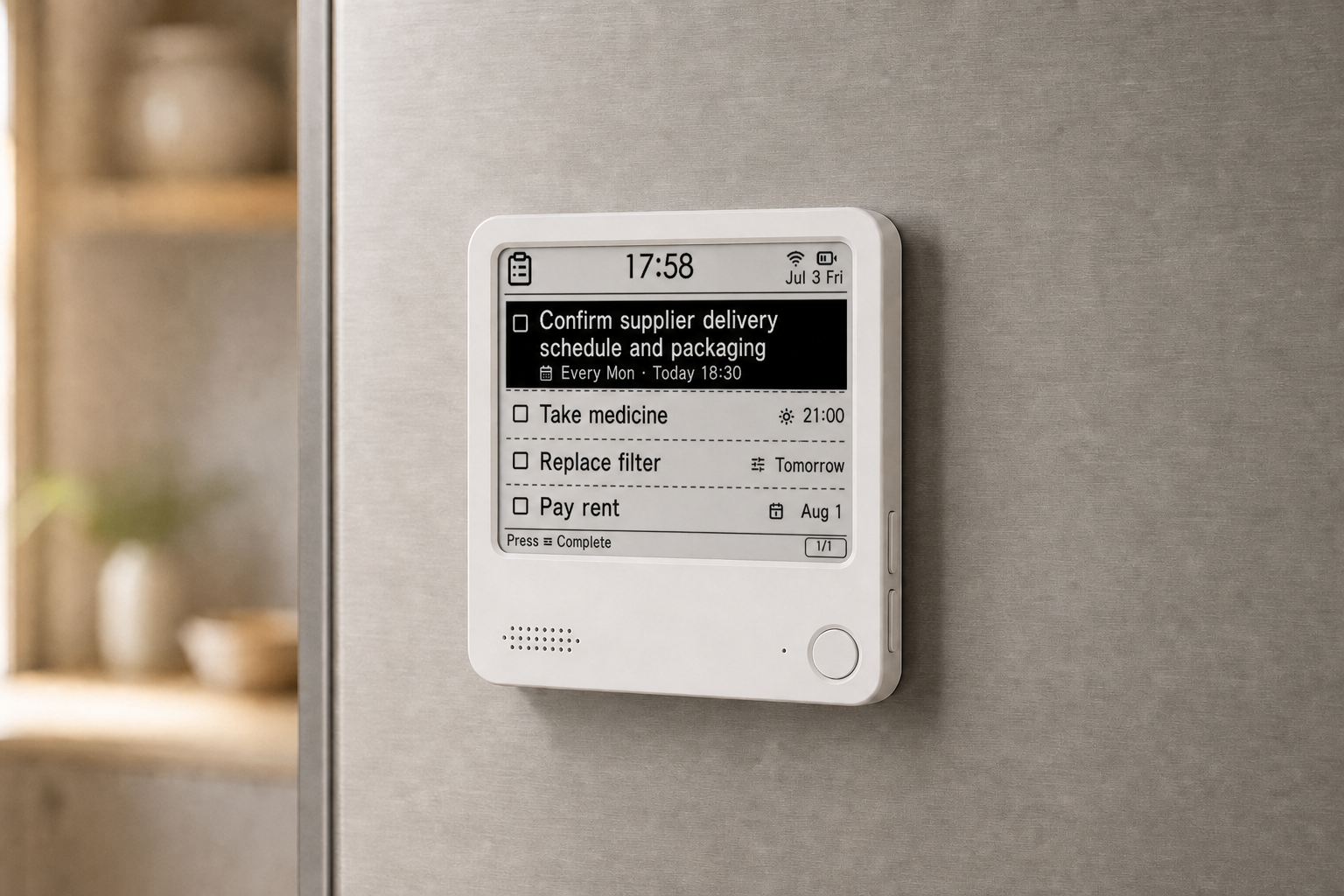
Press the front button and say what you need to do. NOTE4 turns speech into tasks and reminders, making capture faster and keeping important things visible.
A physical front button gives clear, immediate feedback.
Speak the time and task naturally, without opening your phone or finding an app.
The task is organized and stays visible whenever you need it.
“Remind me about the meeting at 3 p.m.”
Voice recognition, task creation, and synchronization require a network connection. Available capabilities depend on the current service version.
AI CREDITS & LIFETIME
AI on your terms.
Start with free Credits. Top up when you need more, or choose Lifetime Core AI for your device. The hardware is the same whichever you choose.
Out of Credits? Your everyday display still works.
Cards, custom pushes, and app to-do sync remain available without Credits.
Taking part in NOTE4 Pioneers? Participants, including eligible existing NOTE4 Devkit owners, can earn Lifetime Core AI after completing the test and review. Explore the program
EVERYDAY FUNCTIONS
Quiet by nature.
Useful in many ways.
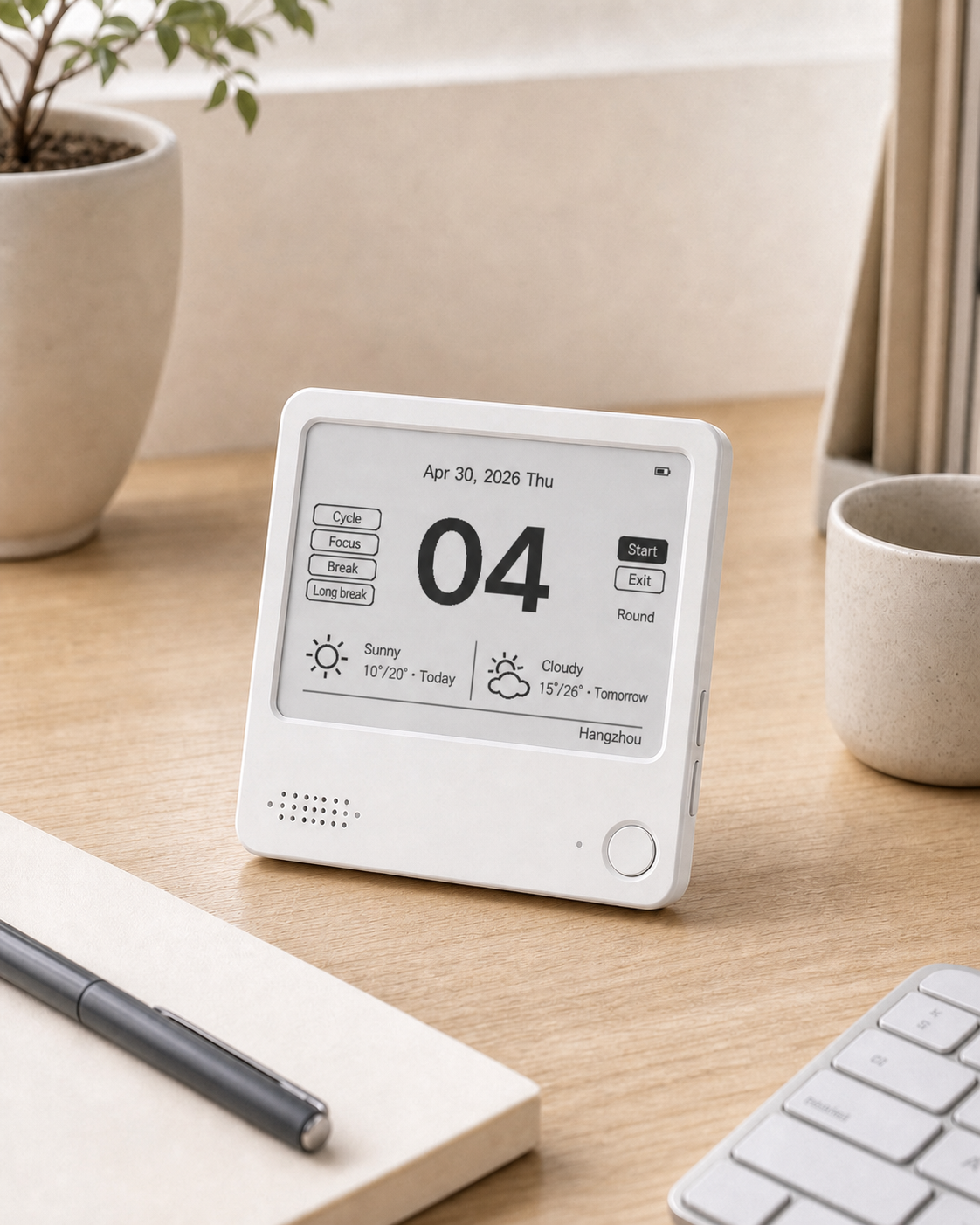
It is not a smaller phone for your desk. It keeps only the information worth seeing, with six core functions, all on one calm, non-emissive display.
AI task reminders
Create, review, and manage tasks by voice so they remain visible.
Weather clock
See time, date, and weather together at a glance.
Focus timer
Keep focus time on your desk without opening a distracting phone.
Handwritten notes
Write in the ZECTRIX app for iOS or Android and send the note to your device while preserving the feel of handwriting.
Image delivery
Turn photos, illustrations, and important information into static display content.
Flexible templates
Adapt the screen to your life with class schedules, calendars, and custom information.
ONE SCREEN, MANY PLACES
One screen for desks and homes
The square 97 × 97 mm body can stand on a desk or attach to a suitable metal surface such as a fridge. Information follows the setting instead of pulling you back to your phone.
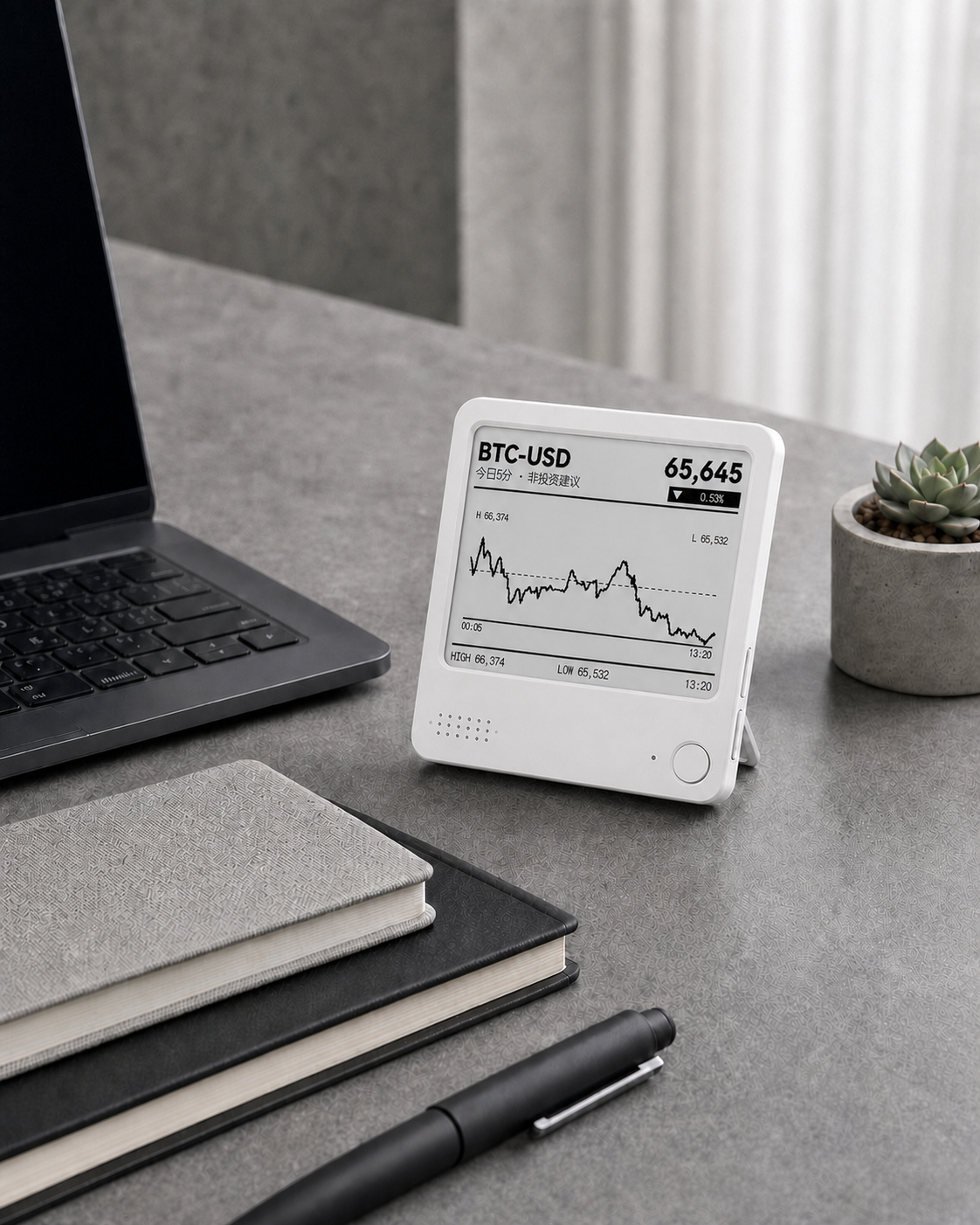
A second brain for your deskTasks, schedules, and useful status
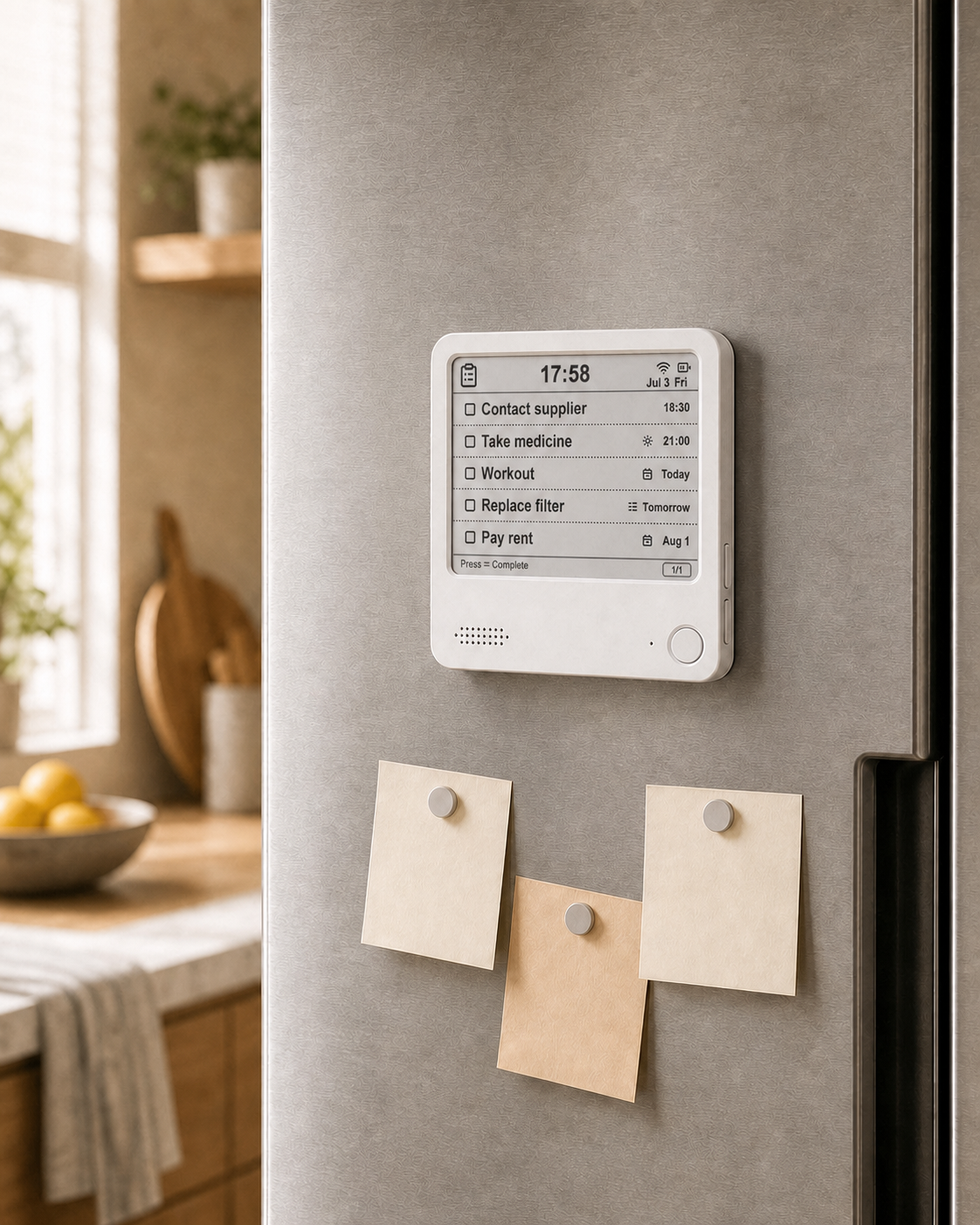
Shared family remindersLists, schedules, and everyday reminders
Study and focusFocus timer and task list
REAL USE, NOT JUST SPECS
Why people keep NOTE4 nearby
Feedback from verified ZECTRIX NOTE customers. Reviews are presented anonymously; customer images appear only when cleared for publication.
“Picking up my phone and opening an app every time felt tedious. This solves exactly that problem.”
“Creating tasks by voice is so convenient, and completed items are cleared automatically.”
“The open capabilities leave so much room to explore. It is a device that genuinely makes me happy.”
These excerpts come from public customer posts and have been anonymized where appropriate.
LOW POWER, ALWAYS THERE
Up to three months
on one charge
E-paper draws most of its display power only when content changes. Information can remain on screen without continuous backlighting.
≈ 3 MONTHSTested in static standby with one synchronization per day
2.4 GHz Wi-FiBLE 5.02,000+ mAh batteryUSB Type-C charging and data
Actual battery life varies with Wi-Fi conditions, refresh frequency, voice usage, screen content, and battery condition.
READY TO USE, OPEN TO MORE
Your tools.
One quiet screen.
Bring the tasks and images you already use to NOTE4. Open APIs and community-built tools connect your everyday workflow to your display.
Explore DeveloperTO-DOS & REMINDERS
Keep your lists together.
Connect task tools through the Cloud API to create, update, and complete to-dos on NOTE4.
IMAGES & CUSTOM CONTENT
Send something worth seeing.
Push photos, rendered cards, and your own images to the screen from a script or a connected app.
Made for your everyday.
A few open-source tools from ZECTRIX and the community.
TASK SYNC · COMMUNITY
Apple Reminders Sync
Sync tasks, notes, due dates, and completion status with Apple Reminders.
macOS · by justinfjx
Explore the projectTASK SYNC · ZECTRIX
Microsoft To Do Sync
Keep Microsoft To Do and NOTE4 in sync, with a preview before applying changes.
macOS · Test version
Explore the projectPHOTO SYNC · ZECTRIX
Synology Photos Sync
Rediscover photos from this time in earlier years, sent from your NAS to NOTE4.
Synology NAS · Python
Explore the projectAI WORKFLOWS · COMMUNITY
ZECTRIX Control Skill
Let your AI workflow organize to-dos and send text or images to the display.
Python · by kkkdkk
Explore the projectThese tools use official firmware and the Cloud API. Each project has its own setup requirements; see the Wiki for compatibility and instructions.
HARDWARE SPECIFICATIONS
Clear, transparent specifications
You should not need to study the technology before using a consumer product, but the important specifications should still be easy to find.
Display
- Panel
- 4.2-inch black-and-white E Ink display
- Resolution
- 400 × 300 pixels
- Features
- Custom fast-refresh panel with partial refresh support
Core
- Processor
- ESP32-S3, dual-core Xtensa LX7
- Memory
- 16 MB Flash + 8MB PSRAM
- Wireless
- 2.4 GHz Wi-Fi + BLE 5.0
Hardware and enclosure
- Battery
- 2,000+ mAh
- Port
- USB Type-C charging and data
- Controls
- Front voice and confirm button, side function and power buttons
- Peripherals
- Speaker, microphone, NFC, status light, and expansion interface
- Material
- ABS
- Dimensions
- 97 mm × 97 mm × 8.75 mm, including magnetic back
Service and warranty
- AI service
- 500 free Credits on device activation. Top-ups: $5 / 500 Credits, with no expiry. Optional Lifetime Core AI: $29.99 for one enrolled device. See AI options.
- Limited warranty
- Limited warranty and after-sales support are available for eligible product-quality issues. Coverage, available remedies, and return-shipping arrangements vary by the issue, destination, sales channel, and applicable law.
- Support
- Contact ZECTRIX Support for assessment and return authorization before sending any device.
FAQ
Common Questions
Is NOTE4 ready to use?
NOTE4 uses official firmware for everyday tasks and display features. The international consumer experience is being tested through NOTE4 Pioneers. This round is for native English speakers, with Android testing first and an iOS beta later. See the program for current eligibility and testing details.
How do Credits work?
You receive 500 free Credits when you activate your NOTE4. Top-ups cost $5 for 500 Credits and do not expire. AI usage varies with the task, content length, and model used. Credits are usage-based, so there is no fixed number of conversations or tasks per pack.
What happens when I run out of Credits?
AI processing requires Credits unless the device has Lifetime Core AI covering that feature. Cards, custom pushes, and app to-do sync remain available without Credits. You can top up or choose the optional Lifetime upgrade.
What does Lifetime Core AI include?
Lifetime Core AI is an optional $29.99 one-time upgrade for one enrolled NOTE4 device. Covered core voice features, such as tasks, reminders, and memos, do not use Credits for the supported lifetime of that device. It is device-bound, not an account-wide subscription, and does not include every future AI feature or model.
Do I need a different NOTE4 for Lifetime?
No. All NOTE4 units use the same hardware. Lifetime is an optional service entitlement activated on your enrolled device; there is no separate Credit or Lifetime hardware edition.
How do NOTE4 Pioneers earn Lifetime Core AI?
Apply to join NOTE4 Pioneers and receive the testing details. Complete the required testing and submit your review. After approval, ZECTRIX activates Lifetime Core AI on the enrolled device at no extra cost. Eligible existing NOTE4 Devkit owners follow the same process without buying another device. Applying or buying hardware alone does not activate the reward.
Does NOTE4 require Wi-Fi?
Voice recognition, synchronization, weather, and cloud content require 2.4 GHz Wi-Fi. The e-paper display keeps its last image when disconnected.
Does the screen stay lit?
No. E-paper uses ambient light and does not need continuous illumination like an LCD or OLED.
Can NOTE4 attach to a fridge?
Yes. The magnetic back can attach to a suitable metal surface.
How do warranty support and returns work?
Limited warranty and after-sales support are available for eligible product-quality issues. Coverage, available remedies, and return-shipping arrangements vary by the issue, destination, sales channel, and applicable law. Contact ZECTRIX Support for assessment and return authorization before sending any device. This does not limit any mandatory consumer rights under applicable law.
BUILD IT INTO YOUR EVERYDAY
Make NOTE4
part of your day.
Help shape the experience with NOTE4 Pioneers. Participants can earn Lifetime Core AI after completing testing and review.