FourColor Ink
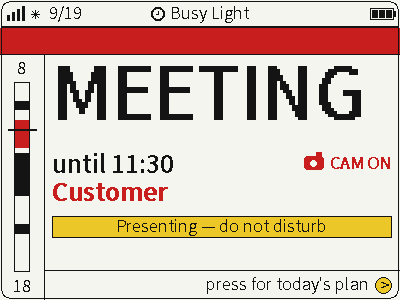
Switch between photos, weather and busy status on a four-color screen for glanceable desktop information.
USB firmware
View & install Views0

Device firmware · NOTE4 · Monochrome
Turn NOTE4 into a family voice-message terminal. A Feishu bot receives voice messages, unread messages appear as heart envelopes, and device buttons play or record replies. A companion Python server must stay running.

Turn NOTE4 into a family voice-message terminal. A Feishu bot receives voice messages, unread messages appear as heart envelopes, and device buttons play or record replies. A companion Python server must stay running.
Install & use
Connect the device and give AI the detection results together with this firmware information.
USB chip information cannot distinguish monochrome from four-color screens. Confirm the model first.
Read the chip and capacity first, so AI needs fewer follow-up questions.
Detection may restart the device into download mode. It does not flash firmware; you still need to confirm the display model.
Not detected yet. You can also copy the task first and ask AI to help connect.
Codex on your computer can install dependencies and run programs locally.
Check compatibility → Prepare firmware and a full backup → Assist with local installation → Verify first run
After copying, start a new chat in Codex on your computer and paste the task.
Only project information and the device details selected here are included. Network addresses, accounts and keys are configured locally during installation.
The device shows the expected PaperTalk-ESP32 screen and continues to update normally.
Ask AI to report the installation location, verification results and how to start again. Continue in the same conversation if something goes wrong.
Monochrome NOTE4 · ESP-IDF 5.5+ · Python 3.10+ server · Feishu custom enterprise bot · Wi-Fi
Create a Feishu custom enterprise app, configure bot permissions and long-connection events. Prepare Python 3.10+, FFmpeg and source dependencies, and provide your own FEISHU_APP_ID and FEISHU_APP_SECRET environment variables. The referenced requirements.txt is missing, so the README is not a complete one-command installation path.
Back up the full Flash of your device first. The component manifest requires ESP-IDF >=5.5, despite the README badge saying 5.3+. Replace sample network, server and port settings with your own, confirm server reachability, then build and flash over USB. NOTE4C is unsupported.
Restrict bot visibility to trusted family members. The server assigns the latest sender as the reply recipient; it is not fixed multi-user account isolation. Verify envelopes, playback, recorded replies and volume. Keep the device-facing HTTP/WebSocket service off untrusted networks.
Source and preview reviewed · Firmware and server untested. Generating a task does not send it or install anything.
No. You also need a Feishu bot, a continuously running Python server and device-to-server connectivity. Feishu’s long connection removes the public event-callback requirement, not the network path from the device to your server.
Source, component requirements and author previews were reviewed. Firmware build, flashing, Feishu messaging and power consumption were not independently tested. The referenced requirements.txt and systemd example are missing; deployment needs dependency and service configuration work.
Switch between photos, weather and busy status on a four-color screen for glanceable desktop information.
USB firmware
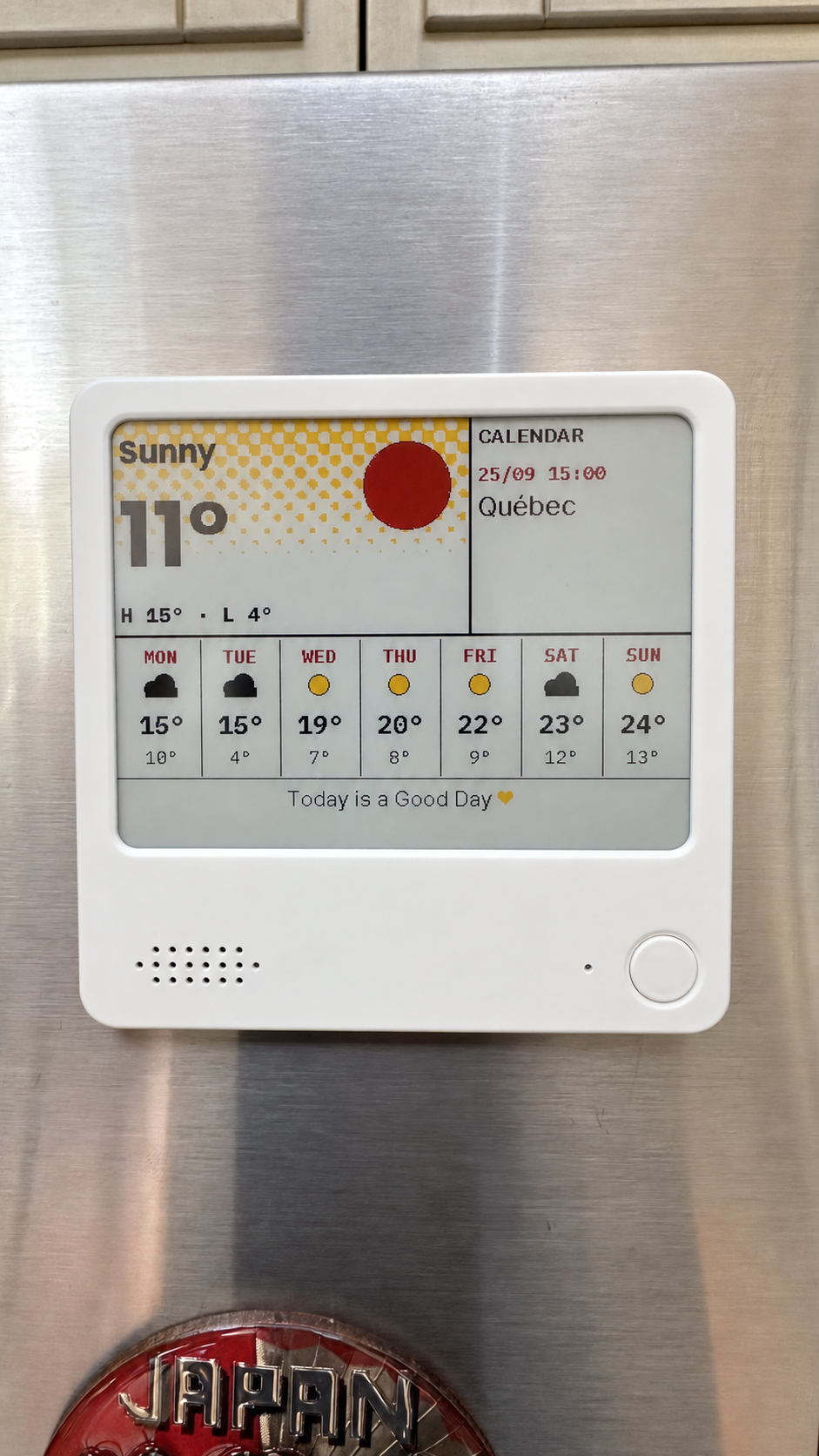
Compose weather, calendars, countdowns and notes on your computer, then send them to NOTE4C over your LAN.
Firmware + companion service
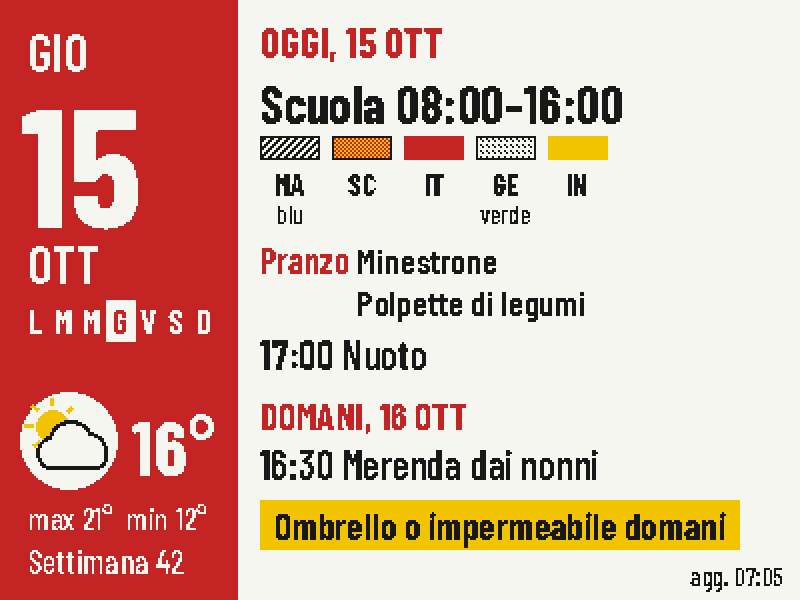
Put today's classes, school lunch, weather and tomorrow's bag checklist on one four-color screen.
Firmware + companion service