Choose a plugin to use Plugin catalog Search plugins, uses or authors Project order Recommended order Project name
Local apps8 Custom ink cards6 Sync tools4 All18
Custom ink cards and sync tools run on a computer or server and update the device through the cloud API.Prepare API connection details →
Build a local program, then integrate plugins Get the public SDK, build a local program for your OS, then integrate and verify plugin source. Get the SDK ↗
18 projects
Installation method All installation methods Cloud API LAN connection Reset
Local apps NOTE4 · Monochrome
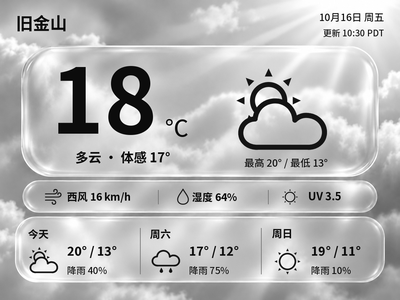
Generate Chinese or English glass-style weather cards with temperature, feels-like temperature and a three-day forecast. The current version previews and exports images on your computer first.
Local Push SDK · Public source
Local apps NOTE4 · Monochrome
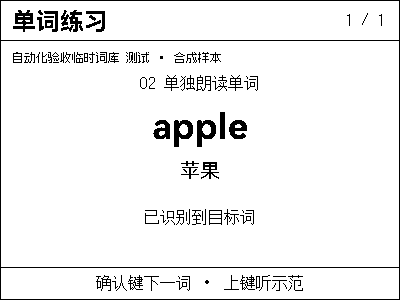
Practice vocabulary by textbook and unit: view hints, spell letters and read words on NOTE4, then listen to model pronunciation.
Local Push SDK · Public source
Local apps NOTE4 · Monochrome
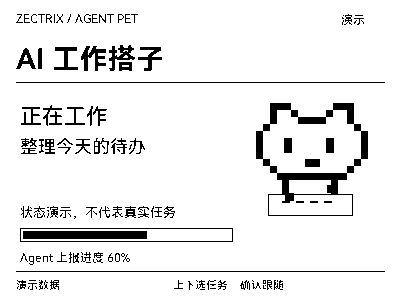
Let a pixel companion on your desk follow Codex tasks: working, waiting for attention, completed or failed, all at a glance.
Local Push SDK · Public source
Local apps NOTE4 · Monochrome
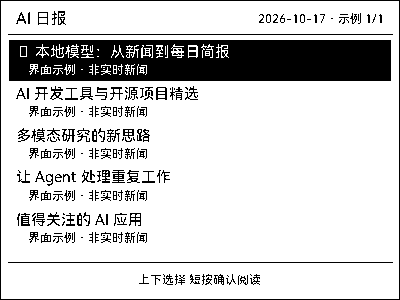
Collect AI news daily, read summaries and listen to briefs on NOTE4, and revisit past content saved on your computer.
Local Push SDK · Public source
Custom ink cards NOTE4 · Monochrome
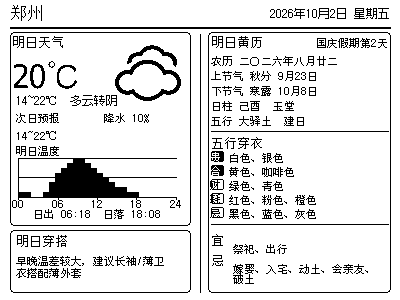
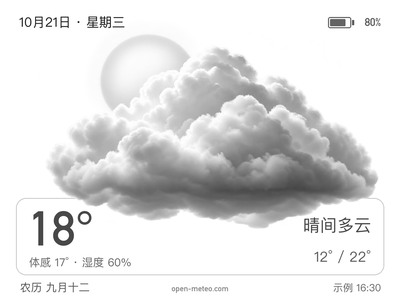
Put weather, temperature trends, the lunar calendar and clothing guidance on one clear monochrome screen.
No flashing · Plugin · Native ink-card sample
Custom ink cards NOTE4 · Monochrome
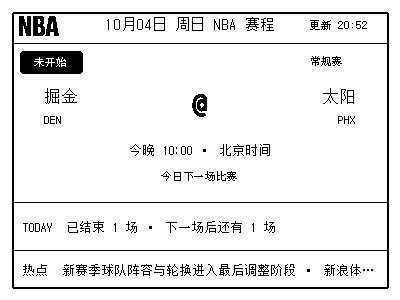
See scores, the next matchup, recent results and one Chinese NBA headline in a fixed layout.
No flashing · Plugin · Native ink-card sample
Custom ink cards NOTE4 · Monochrome
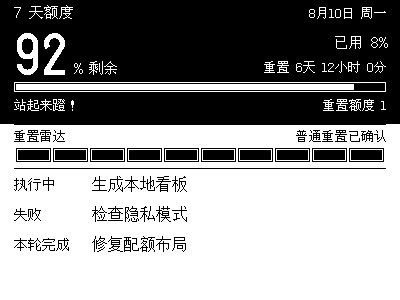
See remaining Codex quota, reset times and recent task status on your desk with less window switching.
No flashing · Plugin · Native ink-card sample
Custom ink cards NOTE4 · Monochrome
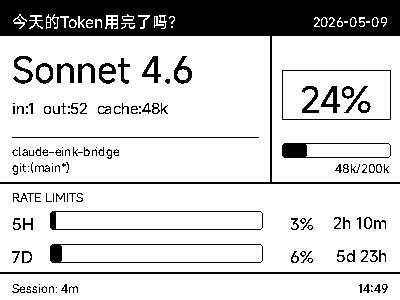
Put your current model, context usage and coding-session status on e-paper for a quick glance.
No flashing · Plugin · Native ink-card sample
Custom ink cards NOTE4 · Monochrome
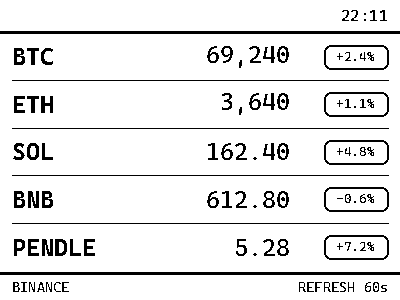
Check public prices and daily changes on a quiet desktop display.
No flashing · Plugin · Native ink-card sample
Task sync CalDAV Calendar Sync Syncs calendars to device tasks. This project does not generate a separate ink-card image.
Sync tools NOTE4 · Monochrome
Sync your CalDAV events to NOTE4's task list.
No flashing · Plugin · Task-list sync
Task sync Microsoft To Do Sync Two-way Microsoft To Do sync with device tasks. This project does not generate a separate ink-card image.
Sync tools NOTE4 · Monochrome
Connect Microsoft To Do with tasks on one or more NOTE4 devices from your Mac.
No flashing · Plugin · Task-list sync
Task sync Apple Reminders Sync Syncs Apple Reminders to device tasks. This project does not generate a separate ink-card image.
Sync tools NOTE4 · Monochrome
Sync Reminders tasks, notes, dates and completion status to keep your desktop to-dos connected with Apple devices.
No flashing · Plugin · Task-list sync
Task sync TickTick Calendar Sync Syncs TickTick tasks to device tasks. This project does not generate a separate ink-card image.
Sync tools NOTE4 · Monochrome
Bring TickTick calendar events to NOTE4's desktop task list through an ICS subscription.
No flashing · Plugin · Task-list sync
Preview pending Synology Photos Sync Pushes the user's own NAS photos to the device. A verifiable public ink-card output is not yet available.
Custom ink cards NOTE4 · Monochrome
Rediscover photos from around this date in past years in your NAS library, then send them to monochrome NOTE4.
No flashing · Plugin · No separate ink-card image yet
Local apps NOTE4 · Monochrome
Randomly choose portraits from a NAS photo folder, fill NOTE4 in sixteen shades of gray, and show the capture date.
Local Push SDK · Public source
Local apps NOTE4 · Monochrome
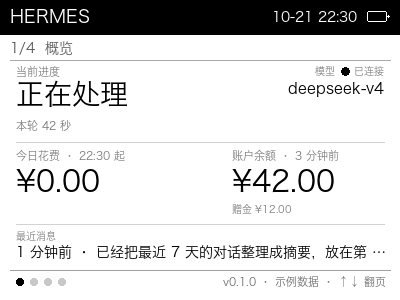
A desktop companion display for personal AI assistants: progress, model, connection, daily spending and balance, plus seven-day stats, scheduled tasks and recent conversations.
Local Push SDK · Public source
Local apps NOTE4 · Monochrome
Turn NOTE4 into a 16-level grayscale weather display with temperature, feels-like, humidity, highs and lows, six-hour and seven-day forecasts, and physical-button page switching.
Local Push SDK · Public source
Local apps NOTE4 · Monochrome
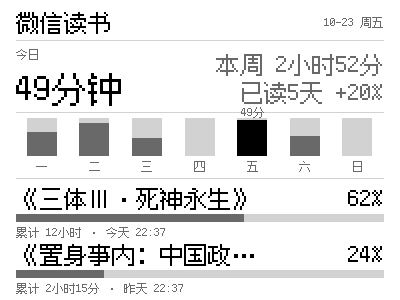
Keep your WeRead reading activity on your desk: today’s reading time, daily totals for the week and current book progress on a 400×300 pixel-style panel, refreshed on NOTE4 every 30 minutes by default.
Local Push SDK · Public source
No plugins match these filters Try another search term or clear the filters.
View all plugins Show more projects